
DINOPAY - Sinclair Oil
PetroZone MobileShopping
4.43.00K Reviews
- Version
- 6.0.1
- Installs
- 100.00K
- Age Rating
- Everyone
Screenshots

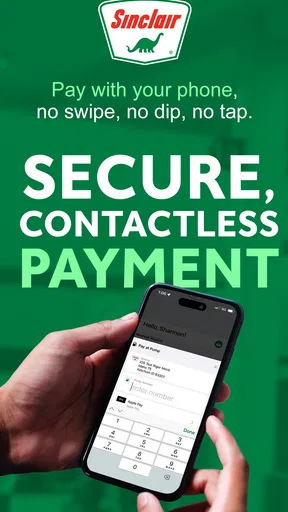
Our Review of DINOPAY - Sinclair Oil
 Analysis by Appyee
I found DINOPAY - Sinclair Oil most useful when I treated it as a focused shopping companion for Sinclair customers rather than as a complete replacement for every fuel, payment, or budgeting tool. It is a free app in the Shopping category, developed by PetroZone Mobile, and its purpose is straightforward: make a Sinclair visit easier to manage from a phone. That narrow purpose is also its main strength. I did not have to learn a complicated marketplace or sort through unrelated shopping features before getting to the part that mattered.
The app has been available since April 24, 2015, and the current release is version 6.0.1. It supports devices running Android 8.0 or later, carries an Everyone age rating, and has passed the point where I would consider it an obscure experiment: it has more than a hundred thousand installs, with a 4.4 average from roughly 5.6 thousand ratings and about 3 thousand written reviews. Those figures suggest a reasonably established user base, although they do not guarantee that every local Sinclair experience will feel identical.
How clearly the app works in everyday use
I look at everyday clarity as more than a tidy screen: the useful test is whether a person can understand the next step without rushing or guessing. A short practice run while parked can reveal whether the app fits their reading, touch, and phone habits before a fuel stop adds pressure. That practical check also helps distinguish a genuinely helpful routine from one that sounds convenient but feels awkward in use.
Readability and navigation
My first impression was that DINOPAY - Sinclair Oil is easier to approach than a broad shopping app because the subject is limited. When an app is built around a particular fuel brand, I expect the main journey to be short: open it, understand what is available nearby, and decide whether it helps with the next stop. That makes the app less intimidating for someone who dislikes crowded screens, excessive categories, or promotional clutter.
For readers who need generous text size or stronger visual separation, the practical test is not simply whether the words are readable at launch. It is whether important actions remain understandable after the phone’s display settings are changed. I recommend increasing system text size before relying on the app during a trip. If labels become truncated, overlap, or lose their meaning, that is a real limitation for people with low vision or age-related reading difficulty. Keeping the phone’s display brightness comfortable and avoiding glare also matters, especially when the app is used outdoors.
I would also approach the interface with a deliberate routine: open the app before pulling into a busy station, orient yourself while stationary, and identify the primary action before you need it. That small habit reduces the pressure of trying to read a screen beside moving cars. It is a better workflow than unlocking the phone repeatedly while standing at a pump or walking across a forecourt.
The most useful accessibility advantage here is focus: the app is tied to a specific Sinclair task instead of asking users to navigate a general shopping universe. That can help people who find broad apps mentally tiring. At the same time, a focused purpose does not automatically mean perfect accessibility. Clear wording, predictable back behavior, touch targets, and sufficient contrast still determine whether the experience is genuinely comfortable.
Navigation for different levels of confidence
Someone comfortable with smartphones will probably understand the basic flow quickly. A less confident user may need one practice run at home, particularly if another person normally helps with fuel purchases or phone-based payments. I would not wait until a rainy evening or an unfamiliar station to learn it. Opening the app in a calm setting gives you time to check whether the layout makes sense, whether the device responds reliably, and whether the required steps feel manageable with one hand.
This is also where DINOPAY may compare favorably with a paper loyalty card or a standard web search. A card is easy to hold but cannot guide you toward a nearby Sinclair location, while a browser search can produce more information than you need and may require repeated typing. The app offers a brand-specific middle ground. The trade-off is dependence on the app’s own presentation and on the quality of the phone’s connection, rather than the universal simplicity of a physical card.
Motor and sensory considerations
Touchscreen use can be difficult for people with tremors, limited finger control, arthritis, or reduced reach. I would test the app with the phone held in the hand I actually use at a station, not just while seated at a desk. If the process requires several precise taps, the experience may become frustrating when the user is wearing gloves, holding keys, carrying a bag, or trying to keep a child close. A phone grip or a stable place to rest the device can make the interaction safer and less tiring, but that is a workaround rather than a built-in solution.
For users with limited dexterity, the best approach is to prepare early. Sign in or complete any setup while stationary, keep the device unlocked only when necessary, and avoid attempting a new action beside active traffic. If a companion is present, agree beforehand on who will hold the phone and who will handle the physical part of the stop. This division of tasks can turn a fiddly interaction into a manageable one without making the user dependent on a stranger.
People with sensory sensitivities may prefer to use the app before arriving. Fuel stations can be bright, noisy, crowded, and full of competing visual signals. Reading a screen in that environment may be harder than the same action at home. I found the app more suitable for planning and orientation before arrival than for prolonged browsing on-site. That distinction is important: an app can support access to a service without making the service environment itself calm or quiet.
For blind or screen-reader users, I would judge DINOPAY cautiously and test the current version with the accessibility tools already available on the phone. I would look for meaningful control labels, a sensible focus order, and announcements that explain what changed after each action. I cannot treat a branded interface as accessible merely because it is simple. If a button is announced only by position or if a location result lacks useful context, assistance may still be needed. A sighted helper can be useful during setup, but the app should ideally remain understandable afterward.
Situational access: when the app earns its place
A realistic example is a driver leaving work late with a low fuel level and a passenger who cannot easily walk into a store. In that situation, the value of DINOPAY is not entertainment or discovery. It is reducing uncertainty before the car stops. I would use it while parked to identify whether the Sinclair option fits the route, review the next step, and decide whether I can complete the visit without extra movement. If the screen demands too much attention at the station, I would stop and switch to a simpler backup rather than continue tapping near traffic.
The same preparation helps a driver with hearing loss. A phone-based process can be preferable to depending on spoken instructions from an attendant, provided the app presents each step visually and clearly. I would still keep a backup payment method and be ready to ask for assistance if the physical station does not match what I expected. Digital guidance can reduce communication friction, but it cannot remove every need for human help.
For someone with memory difficulties, a short repeatable routine is more valuable than exploring every option. Use the app before departure, confirm the intended Sinclair stop, and avoid changing the plan while driving. A family member could help establish that routine without taking over every visit. The app is most supportive when it reduces decisions, not when it creates another screen full of choices.
Travelers should also think about connectivity and battery. I would not make a phone-only plan for a long drive without charging the device first and carrying a physical alternative. A weak signal, a crowded station, or a phone that is nearly empty can turn a convenient digital step into a barrier. This is not a criticism unique to DINOPAY; it is the basic trade-off of using a mobile tool in a roadside setting. Still, users who need dependable access should plan around it.
Who benefits most, and who may prefer something else
This app makes the most sense for people who regularly choose Sinclair and want a brand-specific way to manage those visits. It may also help caregivers who prepare a route for another driver, provided they can test the workflow together first. The Everyone rating makes it broadly approachable from an age-label perspective, but that should not be confused with effortless use for every ability level. A child may be allowed to install it while still needing an adult for real-world fuel and payment decisions.
I would be less enthusiastic for someone who rarely visits Sinclair, wants one app covering many fuel brands, or prefers not to depend on a phone for routine purchases. A general navigation app may be better for comparing several nearby brands, while a bank or wallet app may be better for people whose main priority is payment oversight rather than Sinclair-specific convenience. A physical card remains the stronger option for anyone who needs a low-tech fallback with no battery, signal, or screen-reading concerns.
There is also a privacy and attention trade-off that I would consider before installation. Any shopping app deserves the same scrutiny as other apps that may be used around purchases or locations: review its requested access during setup, allow only what feels necessary, and remove permissions that are not needed for the way you use it. I am not suggesting that DINOPAY is unsafe; I am saying that careful setup is part of responsible mobile use, especially for people who rely on a support person to configure their phone.
Remaining barriers in the real world
The biggest limitation is the gap between digital access and physical access. A well-organized app cannot widen a parking space, lower a pump screen, reduce noise, or guarantee that every station layout will suit a wheelchair user. It also cannot ensure that a user who has difficulty standing, reaching, seeing small payment prompts, or handling a phone will find the whole visit easy. I would therefore evaluate the specific Sinclair location as much as the app itself.
Another barrier is recovery. People with cognitive, visual, or motor challenges need clear ways to understand an error and return to a safe starting point. If the app leaves a user unsure whether an action worked, repeated taps can create stress or duplicate attempts. My practical advice is to pause after each important step, look for a visible confirmation, and ask for help rather than guessing. That may sound basic, but it is especially important when the phone is being used beside vehicles and payment equipment.
Shared-device use can create its own problems. A family phone, an employer’s handset, or a device configured by a caregiver may have different text settings, notification behavior, or security protections. Before a trip, I would check that the person using the app can unlock the device, recognize the app’s icon, and return to it after an interruption. A process that works perfectly for the person who installed it may be confusing for the person who actually needs it at the station.
Version 6.0.1 is the release I would evaluate on a compatible phone, and Android 8.0 is the minimum operating system listed for use. That makes device compatibility an early checkpoint rather than something to discover during a journey. If the phone is older, heavily modified, or running low on storage, I would test the app well before depending on it. Keeping the operating system and app current is sensible, but updates can also change layouts, so users who depend on a familiar routine should allow time to adjust.
An inclusive verdict for Sinclair shoppers
My overall view is positive but practical. DINOPAY is a sensible free Shopping app for a person who already chooses Sinclair and wants a focused digital companion. Its established presence, 4.4 average, and more than a hundred thousand installs make it easier to recommend for trial than an unknown utility, while the Everyone rating keeps the audience broad. I would still judge it by the actual phone, station, and ability needs of the person using it.
For accessibility, I see the strongest case in preparation, reduced searching, and a repeatable brand-specific routine. Someone with hearing-related communication barriers, mild cognitive load concerns, or difficulty managing several apps may find that focus helpful. Someone with severe dexterity limits, blindness, major sensory sensitivity, or no reliable phone access should test it with assistive tools and a trusted fallback, rather than assuming the app alone will solve the whole trip.
My recommendation is to try it before you need it. Set it up at home, enlarge the text if necessary, check how the controls are announced, practice the route while stationary, and keep a physical payment option available. If that short trial feels clear and comfortable, DINOPAY can remove useful friction from Sinclair visits. If it adds more steps than it saves, a general navigation tool, a wallet app, or a traditional card may be the more inclusive choice for your routine.
PetroZone Mobile has kept the product centered on one recognizable use case, and that restraint is valuable. I would not call it universally accessible, but I would call it worth considering for Sinclair customers who want a straightforward mobile option and are willing to plan around the limits of phones and fuel stations. Used with realistic expectations, it can support independence; used without a backup, it can become another dependency at exactly the wrong moment.
Verdict
Strengths of DINOPAY - Sinclair Oil
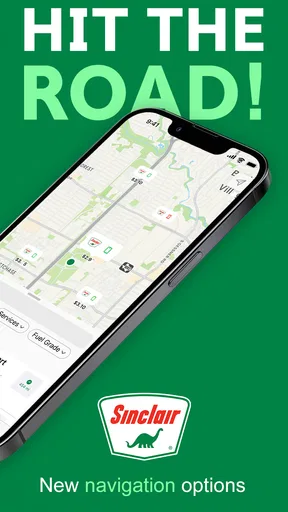
- Quickly locate nearby Sinclair stations and plan fuel stops.
- Convenient access to station details, including available services.
- Supports a smoother payment experience at participating locations.
- Useful for tracking fuel-related purchases in one place.
- Clean, straightforward interface that is easy to navigate.
Limitations of DINOPAY - Sinclair Oil
- Availability and features may vary by station and location.
- Requires compatible participating Sinclair locations for full functionality.
- Location permissions may be needed to find nearby stations.
- Payment features may depend on supported cards or mobile devices.
- App usefulness is limited in areas without nearby Sinclair stations.
Similar Picks in This Category
View All
SHEIN-Shopping Online
Roadget Business PTE. LTD.4.8

Amazon Shopping
Amazon Mobile LLC4.4


Mercado Libre: Compras online
Mercado Libre4.8

Wish: Shop and Save
Wish US Holdings LLC4.7

Alibaba.com - B2B marketplace
Alibaba Mobile4.4
Frequently Asked Questions
What is DINOPAY - Sinclair Oil, and what can I use it for?
DINOPAY is Sinclair Oil’s mobile app for customers who want to make fuel purchases and manage rewards from their phone. Depending on your location and participating station, you can use it to find nearby Sinclair locations, view fuel prices, access offers, and pay at the pump or in-store through supported features. Availability can vary by station, device, and region.
Can I pay for fuel directly through the DINOPAY app?
The app is designed to support mobile fuel payments at participating Sinclair stations, allowing you to select a pump and authorize a transaction without using a physical card at the pump. However, mobile payment availability is not guaranteed at every location. Before relying on the feature, check that the station supports DINOPAY and that your payment method, location services, and internet connection are working properly.
Does DINOPAY include a rewards or loyalty program?
Yes, DINOPAY may allow users to participate in Sinclair’s rewards program, collect points or benefits, and redeem available offers on eligible purchases. The exact rewards structure, qualifying products, expiration rules, and redemption options can change over time. Read the current program terms inside the app, because fuel purchases, convenience-store items, and promotional offers may not all receive the same benefits.
Is DINOPAY safe to use for payments and personal information?
DINOPAY uses account and payment information to process transactions, display rewards, and personalize the experience. As with any payment application, you should download it only from the official Google Play Store or Apple App Store, use a strong account password, and keep your phone updated. Review the app’s privacy policy and avoid using mobile payments on unsecured public networks whenever possible.
What should I do if DINOPAY does not work at a Sinclair station?
If the app cannot locate a station, connect to the pump, apply a reward, or complete a payment, first check your internet connection, location permissions, app updates, and selected payment method. The station may also be outside the supported network or experiencing a temporary system problem. If the issue continues, use another payment option and contact DINOPAY or Sinclair customer support with the station details and error message.
